

Appearance
Integrations
Truetask connects to the rest of your stack in a handful of ways: MCP for AI tools, the REST API for scripts, webhooks in both directions, the n8n community node, and the services you connect once in the Integrations dialog. This page maps them so you can pick the right one, then points you at the page that covers it.
Pick the right door
| Need | Use |
|---|---|
| Let an AI tool read and change your workspace | MCP |
| Script something, or build your own client | REST API |
| Push Truetask events into another system | Outgoing webhooks |
| Let another system start an automation here | Incoming endpoints |
| Build a visual workflow around Truetask | n8n |
| Text a customer and catch the reply on the task | Twilio and WhatsApp |
| Branch, review and merge from a task | Git providers |
| Work from your editor or a terminal | Editor integrations and CLI |
The Integrations dialog
Open the App menu (the grid button before your avatar) and choose Integrations. The dialog is one grid of service cards with a Filter integrations box above it, and its promise is the subtitle: connect a service once and its triggers and actions appear in your automations. Each card carries the service mark, a one-line benefit and a state band that reads Not connected, Connected or Needs attention.
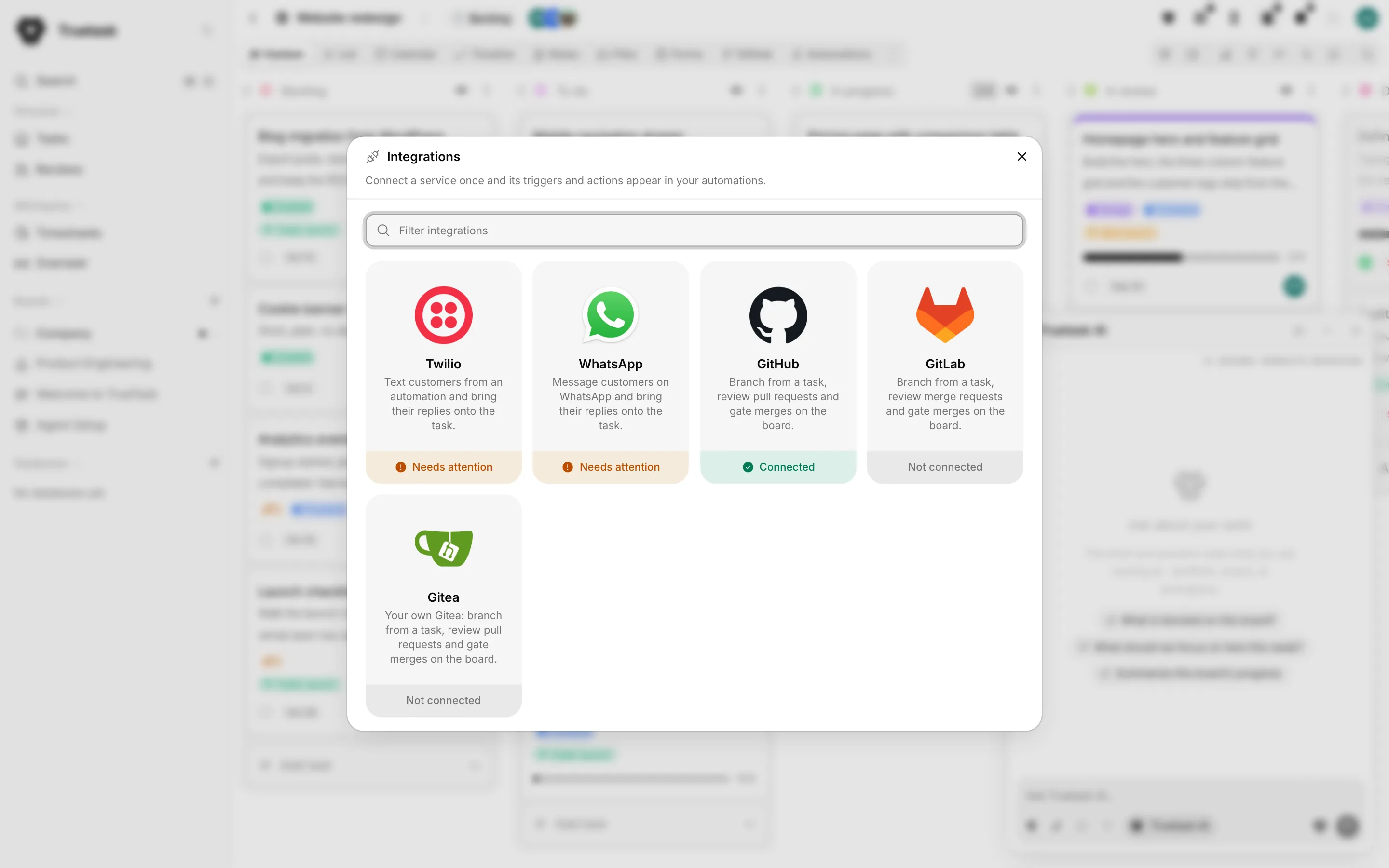
Only a workspace owner or admin can connect a service. Everyone else sees the same catalog with a line telling them to ask an admin for what they need.
Today the catalog holds five cards:
| Card | What connecting it does |
|---|---|
| Twilio | Text customers from an automation and bring their replies onto the task |
| Message customers on WhatsApp and bring their replies onto the task | |
| GitHub, GitLab, Gitea | Branch from a task, review pull requests or merge requests, and gate merges on the board |
Twilio and WhatsApp connect inside the dialog, in three steps: Credentials, Check, Choices. The git cards hand over to the git connection flow instead, which owns the OAuth app and personal access token paths. See Twilio and WhatsApp and Connect a repository.
Ask an assistant
The Credentials step carries a Where to find this panel with the exact menus to click in the other service's console. Next to that heading, an Ask an assistant button opens a small menu: pick your starting point (for example, whether you already have a Twilio account), then open ChatGPT, Perplexity or Google AI Mode with the question already written.
The question is built from static copy only: the service name, the field labels, the hint in the panel and the starting point you picked. It never carries your data and never carries a credential. Opening the link is your own navigation, so an offline instance simply has nothing to open.
Code and chat
Git providers are their own family. Connecting one links repositories to boards, brings pull requests, reviews and CI results onto the task, and lets each teammate link their own account so their work carries their name. A linked repository can also post its pull request, issue, CI, commit and comment events to a Slack or Microsoft Teams channel: turn on Slack and Teams notifications in that repository's settings and paste the channel's incoming webhook URL. All of that lives in Connect a repository.
Editors and the terminal go through MCP and the REST API rather than a connector. See Editor integrations and CLI.
Building a two-way integration
Most "connect Truetask to X" jobs are a pair:
- An incoming endpoint gives the other system a URL to POST to, and an Incoming webhook trigger starts your automation with the request body, query and headers as placeholders.
- An outgoing webhook subscribes to the Truetask events the other system cares about and delivers them as signed JSON.
That pair is what a Zapier or Make style recipe needs, and it is also what the n8n node wraps in two ready-made nodes. Both directions are covered on Webhooks.
Truetask Cloud only
Saved webhooks, in either direction, need a paid plan on Truetask Cloud. See Plans and billing. MCP is never gated: it works on every plan.
Self-hosted only
Nothing here reaches the internet on its own. An integration that calls out, or that must be called from outside, needs your instance to be reachable and its network policy to allow the target. See Network.