

Appearance
Network policy Self-hosted
Truetask is offline-first by design. Nothing in the app reaches out to the internet unless you turn it on in Settings > General > Network.
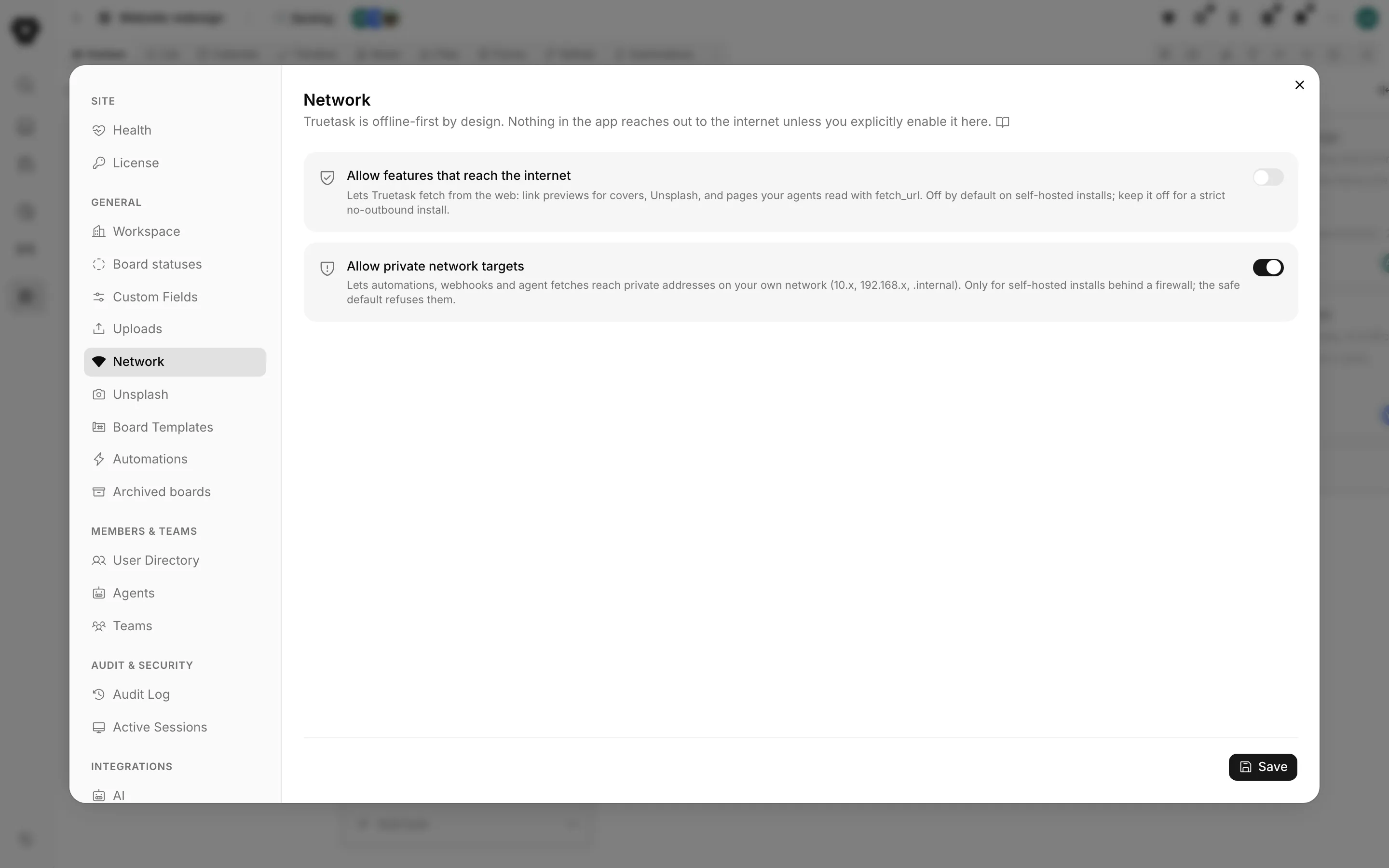
Two switches, both off on a fresh self-hosted instance.
Allow features that reach the internet
Lets Truetask fetch from the web: link previews for covers, Unsplash, and pages your agents read with
fetch_url. Off by default on self-hosted installs; keep it off for a strict no-outbound install.
While this is off, three things do nothing:
- Cover images from a link. Asking a task or note to pull a cover from a URL returns without applying one.
- Unsplash. The Unsplash cover source needs this switch as well as an access key. See Settings > General > Unsplash.
fetch_url. Every path into it is gated here: the tool an agent calls during a run, the same tool over MCP, the assistant, and the REST endpoint.
Turning it on changes nothing else. It is the gate, not a feature.
A strict no-outbound install is a supported configuration
Leave both switches off and Truetask makes no outbound HTTP at all. Everything that is not about reading the open web still works: boards, tasks, notes, forms, automations, agents running against your own workspace, git over your own network once private targets are allowed.
What an agent sees when a fetch is refused
A refusal is not an error. The tool answers the agent with a reason it can repeat to a person: "External fetching is turned off for this workspace. An admin can turn it on in Settings, Network."
So an agent asked to research something on a locked-down instance says it could not read the sources, instead of silently inventing them.
Allow private network targets
Lets automations, webhooks and agent fetches reach private addresses on your own network (10.x, 192.168.x, .internal). Only for self-hosted installs behind a firewall; the safe default refuses them.
This is the intranet escape hatch, and it exists only on self-hosted instances. With it off, an outbound call is refused when the target is:
localhost, or any name ending in.localhost,.internalor.local, before DNS is even consulted.- A private address in the RFC 1918 or unique-local ranges, a loopback address, a link-local address, which is where cloud metadata endpoints live, a reserved or multicast address, or shared address space.
- An IPv4 address disguised as an IPv4-mapped IPv6 address.
It applies to every outbound caller in the product: the HTTP request node in automations, outgoing webhooks, and agent fetches.
Webhooks are checked when you save them, not when they fire, so a URL pointed at your intranet is refused in the editor where you can read why rather than failing quietly at delivery time.
The refusal message names the switch, so an admin reading an automation's log knows what to change: "That address points at a private or internal network, which is refused. Self-hosted admins can allow private targets in Settings, Network."
What the guard checks regardless
Both switches sit on top of one shared outbound guard, and the rest of it is never negotiable.
| Rule | Always enforced |
|---|---|
| Scheme | http and https only. No file, gopher, ftp or data |
| Redirects | Followed by hand, at most three hops, and every hop is re-checked against the same rules |
| Size | The body is streamed against a byte budget and cut off the moment it crosses it |
| Timeout | A request that does not answer in time is abandoned |
Allowing private targets skips the address classification. It does not relax the scheme check, the redirect re-validation or the size budget.
Extra limits on agent fetches
Reading the web from inside an agent run has its own ceilings on top of the network policy, so a loop cannot turn into a crawler.
- An agent's owner can revoke web reading entirely with the Read the web guardrail on the agent. See Creating an agent.
- A single run may read a bounded number of pages, and the refusal tells the agent to stop rather than failing the run.
- The workspace as a whole is rate limited per minute.
Anything fetched comes back wrapped in untrusted-content markers before a model ever sees it, so a page that says "ignore your instructions" arrives labelled as data.
What is not gated here
The git integration does not go through either switch. Connecting to GitHub, GitLab or Gitea and syncing repositories works whether or not Allow features that reach the internet is on, because linking a repository is an explicit act with credentials you supplied. What gates it instead is the per-provider toggle for GitHub, GitLab and Gitea in the workspace settings.
It carries its own outbound guard. A git call may only reach the exact host and port it was scoped to, redirects are never followed, and a connection to a self-managed GitLab or Gitea remembers the addresses its host resolved to and refuses to call it if they change. A self-managed instance on a private address is reachable because you typed its base URL, not because a switch was flipped.