

Appearance
Data retention Self-hosted
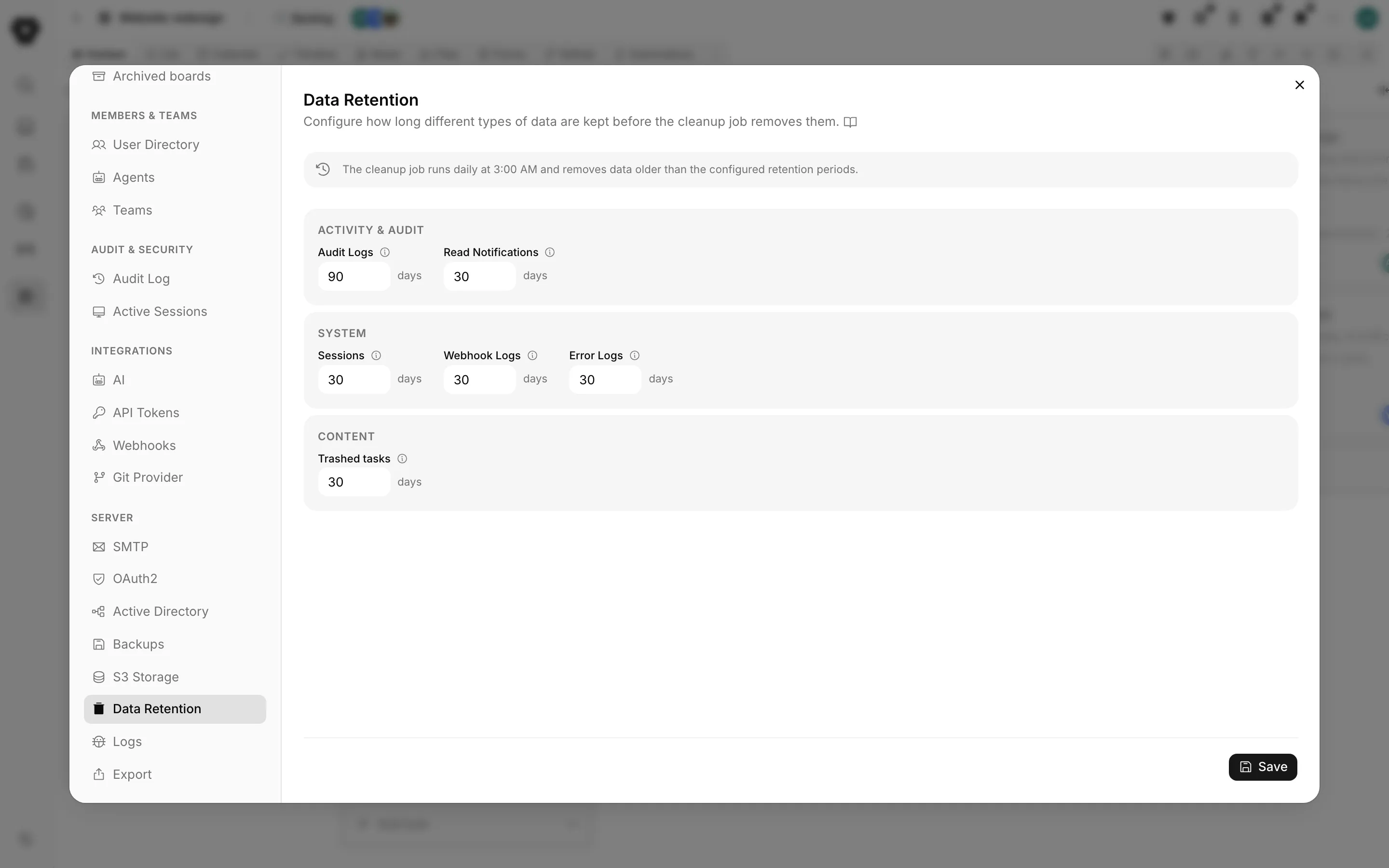
A workspace accumulates records nobody reads again: audit rows, notifications people already saw, expired sessions, webhook deliveries, error logs. Settings > Server > Data Retention decides how long each kind is kept.
The cleanup job
The pane says it plainly at the top:
The cleanup job runs daily at 3:00 AM and removes data older than the configured retention periods.
It runs on the instance, on the server's own clock, and deletes anything past its window. There is no manual trigger and nothing to schedule.
The settings
Each value is a number of days between 1 and 3650.
Activity and audit
| Setting | Default | What it covers |
|---|---|---|
| Audit Logs | 90 days | Board activity and change history |
| Read Notifications | 30 days | Notifications that have been marked as read |
Unread notifications are not touched by the notification setting. Only ones a person already read are eligible.
System
| Setting | Default | What it covers |
|---|---|---|
| Sessions | 30 days | User login sessions |
| Webhook Logs | 30 days | Incoming and outgoing webhook logs |
| Error Logs | 30 days | Application error records |
Webhook Logs is one number covering both directions: the deliveries Truetask sent and the calls it received on incoming endpoints.
Content
| Setting | Default | What it covers |
|---|---|---|
| Trashed tasks | 30 days | How long soft-deleted tasks stay in the trash before being permanently removed |
Deleting a task moves it to the board's trash, where it can be restored. This is the clock on that grace period. When it runs out the task is deleted for real, along with the references that do not cascade on their own.
There is no "keep forever"
The minimum is one day and there is no zero. Leave a field empty or set it to 0 and the instance falls back to the default above rather than disabling cleanup. If you need indefinite retention, set a long window such as 3650 days, and use exports or backups for anything you must keep beyond it.
Flow analytics
The same nightly job prunes the flow history behind board stats: the task transitions and the daily snapshots each board records.
That one is not set here. It is per board, and it defaults to 365 days.
Choosing windows
Audit Logs is the one to think about. It is the record of who changed what, so a short window makes incidents harder to reconstruct. The default of 90 days is a compromise; lengthen it if you have a retention obligation and shorten it only if you have a reason to. Take a compliance export from Settings > Audit & Security > Audit Log before shortening it, because the rows are gone after the next run.
Sessions is a log of sign-ins, not a list of live logins. Shortening it does not sign anyone out. To end someone's access now, revoke their sessions from Settings > Audit & Security > Active Sessions instead.
Error Logs is worth keeping at least a month. Users report a problem with an error reference, and that reference only resolves while the row still exists.
Truetask Cloud only
Retention is managed for you on Truetask Cloud and the pane is not shown.