

Appearance
Backups Self-hosted
Truetask backs up its PocketBase database on a schedule you set, keeps a bounded number of archives, and lets you download any of them. The pane is Settings > Server > Backups, and only workspace owners and admins can open it.
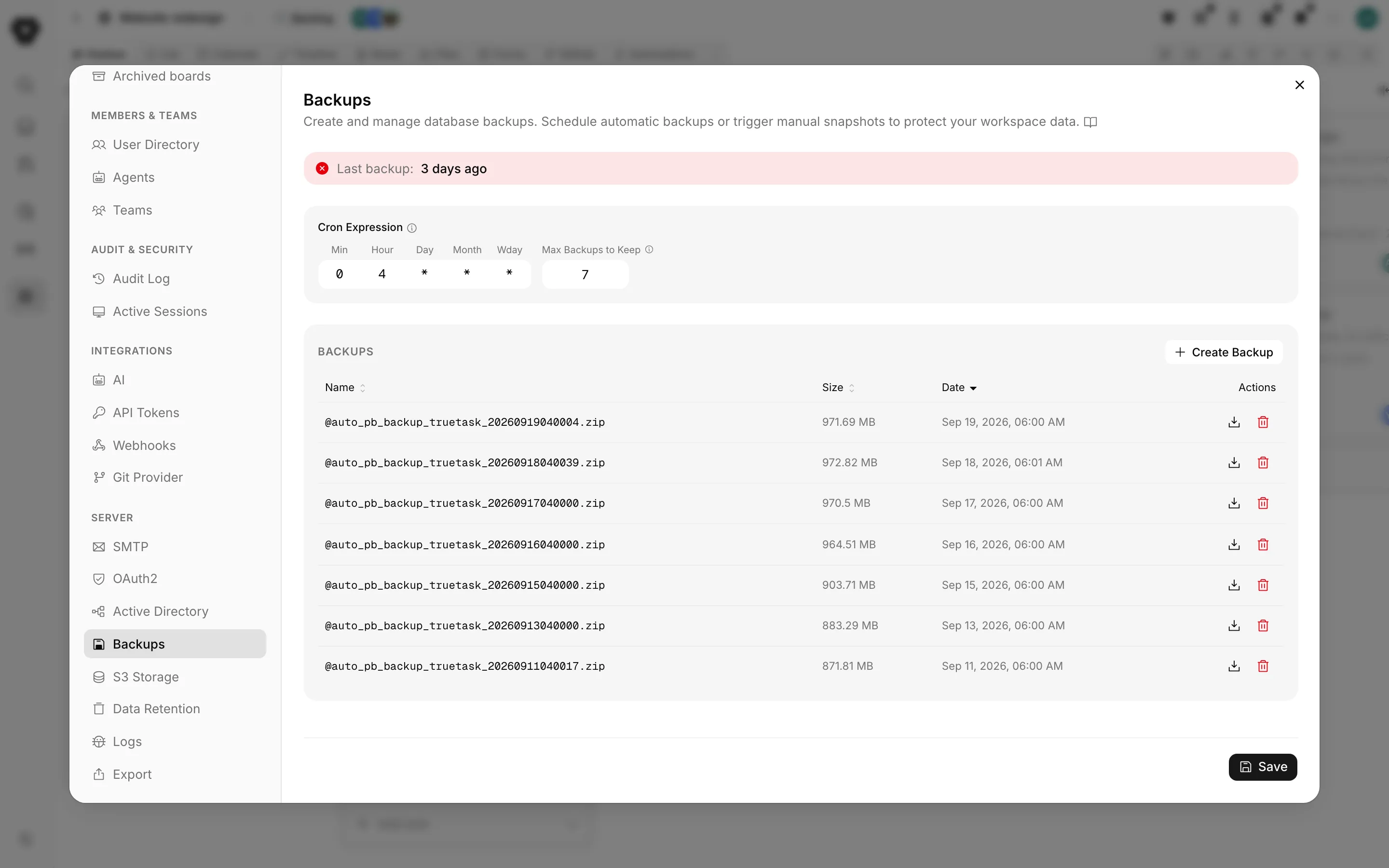
Backup health
The first thing in the pane is a Last backup: line with the age of the newest archive.
| Color | Age |
|---|---|
| Green | Up to 26 hours old |
| Amber | Up to 72 hours old |
| Red | Older than 72 hours |
| Neutral | No backups yet |
A daily schedule keeps this green. Amber means a run was missed.
The schedule
The schedule is a standard cron expression, entered as five small boxes: minute, hour, day, month and weekday. The pane validates each field: minute 0 to 59, hour 0 to 23, day 1 to 31, month 1 to 12, weekday 0 to 6, plus the usual *, ,, - and /.
Leaving every box at * disables automatic backups. The pane treats * * * * * as empty rather than running a backup every minute.
Max Backups to Keep bounds how many automatic archives are retained. Older ones are removed once the count is exceeded. Set it to 0 for unlimited.
A fresh instance ships with a daily backup at 04:00 keeping 7 archives.
The shipped schedule is reapplied at every start
The daily 04:00 schedule and the keep-7 limit are written by the instance at every container start. A custom schedule you save here does not survive a restart, so re-check this pane after an update or a reboot.
Taking a backup by hand
Create Backup takes one immediately. It is named manual_ plus the date and time, for example manual_20260922143005.zip.
From the command line:
bash
scripts/management/truetask-backup.sh create
scripts/management/truetask-backup.sh list
The script reads the admin credentials out of .env, authenticates against the running instance, and triggers the backup through PocketBase's own API, so the stack has to be up.
One command, two archives
truetask-backup.sh create currently sends the create request twice and leaves two archives behind. Delete the spare from the pane, or use Create Backup in the app instead.
scripts/management/truetask-status.sh prints how many archives exist and the name, size and age of the newest, without authenticating.
The archive list
Every archive is listed with its Name, Size and Date, sortable by any of the three. Each row has two actions.
Download streams the archive to your machine. This is how you get a copy off the server.
Delete removes it, behind a confirmation dialog, because it cannot be undone.
Where the archives live
By default they are written to backups/ inside pb_data in your data directory, so <DATA_DIR>/pb_data/backups/.
If you configure Backup Storage in S3 storage, archives go to your bucket instead. The pane keeps working the same way: the list, the download and the delete all read that bucket. If the bucket is unreachable the list comes back empty rather than erroring, so an empty list on an instance you know has backups is a sign to check the S3 settings.
Get them off the machine
A backup sitting next to the database it protects does not survive a dead disk. Either point Backup Storage at a bucket, or copy <DATA_DIR>/pb_data/backups/ somewhere else on a schedule of your own.
What a backup holds, and what it does not
The archive is written by PocketBase from its own data directory, so it carries the database and the files PocketBase stores locally.
Two things are outside it:
- Uploaded files, when File Storage points at an S3 bucket. Those live in the bucket and have to be backed up there.
- Your
.env, includingPB_ENCRYPTION_KEYand the VAPID keys. The setup wizard keeps a copy at<DATA_DIR>/.env, which is still on the same machine. Store the real copy with your other secrets.
The encryption key is part of the backup
If PB_ENCRYPTION_KEY is set, the sensitive settings inside the archive are encrypted with it. Restoring that archive onto an instance with a different key leaves those settings unreadable, and they have to be entered again. Restore the key and the data together.
Restoring
There is no restore button in Truetask. Restoring is a file operation with the stack stopped.
Stop the stack.
bashscripts/management/truetask-stop.shMove the current data aside rather than deleting it, so you can go back if the restore is wrong.
bashmv <DATA_DIR>/pb_data <DATA_DIR>/pb_data.before-restoreUnpack the archive into a fresh
pb_dataat the same path.Make sure the files are owned by UID 1000, which is what PocketBase runs as inside the container.
bashchown -R 1000:1000 <DATA_DIR>/pb_dataConfirm
.envstill carries thePB_ENCRYPTION_KEYthat was in use when the archive was written.Start the stack.
bashscripts/management/truetask-start.sh
PocketBase runs its migrations on the way up. If the archive came from an older version, running a newer image over it migrates it forward, which is the direction that works. Going the other way needs the matching old image; see Updates.
Exporting instead
A backup is a database archive, not a portable file. If what you want is your content in a form you can read elsewhere, use Settings > Server > Export, which produces a ZIP of boards, tasks, lists, tags, users, comments, checklists, time entries, workflows, custom fields, folders and attachments. See Exporting.