

Appearance
MCP: connect any AI tool
Every Truetask workspace serves a Model Context Protocol server. Point an MCP client at it with a token and your whole workspace becomes tools that AI tool can call: boards, tasks, notes, forms, automations, pipelines, git, time. Nothing is installed on your machine and nothing leaves Truetask that the token does not already grant.
Endpoints
| Transport | URL |
|---|---|
| Streamable HTTP (recommended) | https://<your-workspace>/mcp |
| Server-Sent Events (legacy clients) | https://<your-workspace>/mcp/sse |
Authenticate with a bearer token on every request.
text
Authorization: Bearer tt_...A minimal client configuration looks like this.
json
{
  "mcpServers": {
    "truetask": {
      "type": "http",
      "url": "https://<your-workspace>/mcp",
      "headers": { "Authorization": "Bearer <token>" }
    }
  }
}
What you get
342 tools, grouped by family. The database and API name for a task is card, so the task tools are the cards_* family; the rest of this site says task.
| Family | Tools | Covers |
|---|---|---|
git_* | 52 | Pull requests, issues, commits, repository sync, label and user mappings |
cards_* | 35 | Tasks: create, update, move, complete, bulk operations, agent context |
notes_* | 28 | Notes, versions, comments, links, publications, vault import and export |
xattr_* | 20 | Custom fields, values, relations, rollups and formulas |
agent_* | 19 | Runs, steps, logs, kickoffs, workflows |
boards_* | 18 | Boards, members, templates, field layout, record import |
pipelines_* | 17 | Pipelines and their nodes |
forms_* | 10 | Forms, runtime specs and submissions |
webhooks_* | 10 | Outgoing subscriptions, logs, samples and tests |
automations_* | 9 | Automations, logs, triggers, export and import |
incoming_webhooks_* | 8 | Inbound endpoints |
Plus checklists_*, comments_*, card_templates_*, note_folders_*, timesheet_* and integrations_* at six each, lists_*, tags_*, files_*, folders_*, time_entries_*, groups_*, saved_filters_* and milestones_* at five each, and singles such as search, workspace_export, fetch_url and users_me.
Every tool carries its own description, so a connected client can discover the surface without reading this page.
Tokens
Two kinds of token reach the same server.
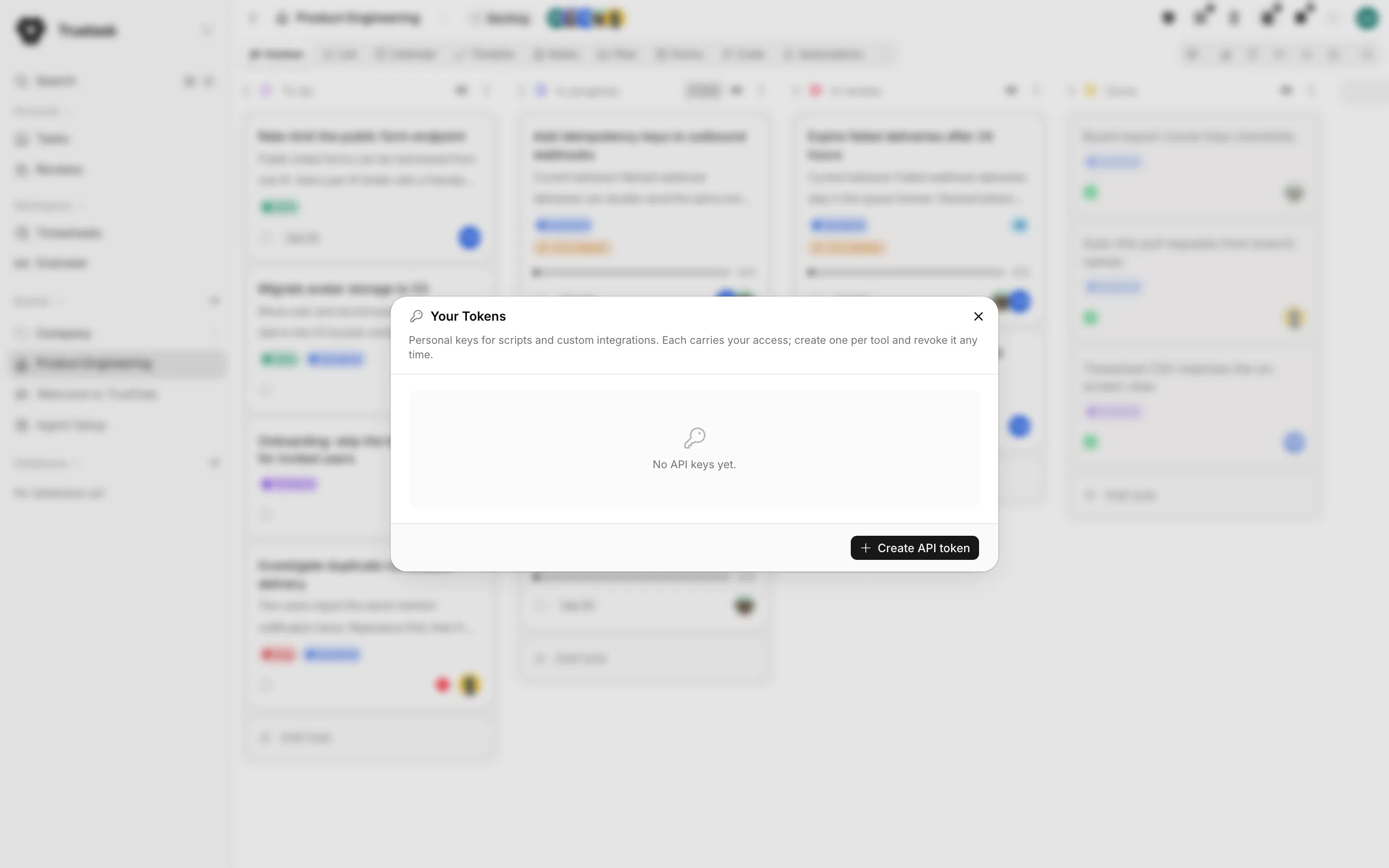
Personal tokens carry your own access. Create one per tool and revoke it any time. Anything the tool does is attributed to you.
Agent tokens are created by an agent's External access power. They act as the agent, which is a bot account with its own name, its own board memberships and its own guardrails. Use these when you want the work attributed to a teammate rather than to you. See Creating an agent.
Tokens have a scope, Read only or Read & Write, and an optional expiration date. A token is shown once, at creation, and never again.
Truetask Cloud only
MCP is bring-your-own-AI and is available on every plan. The number of API tokens you may hold follows your plan, and the Free plan has none. See Plans and billing.
The connector wizard
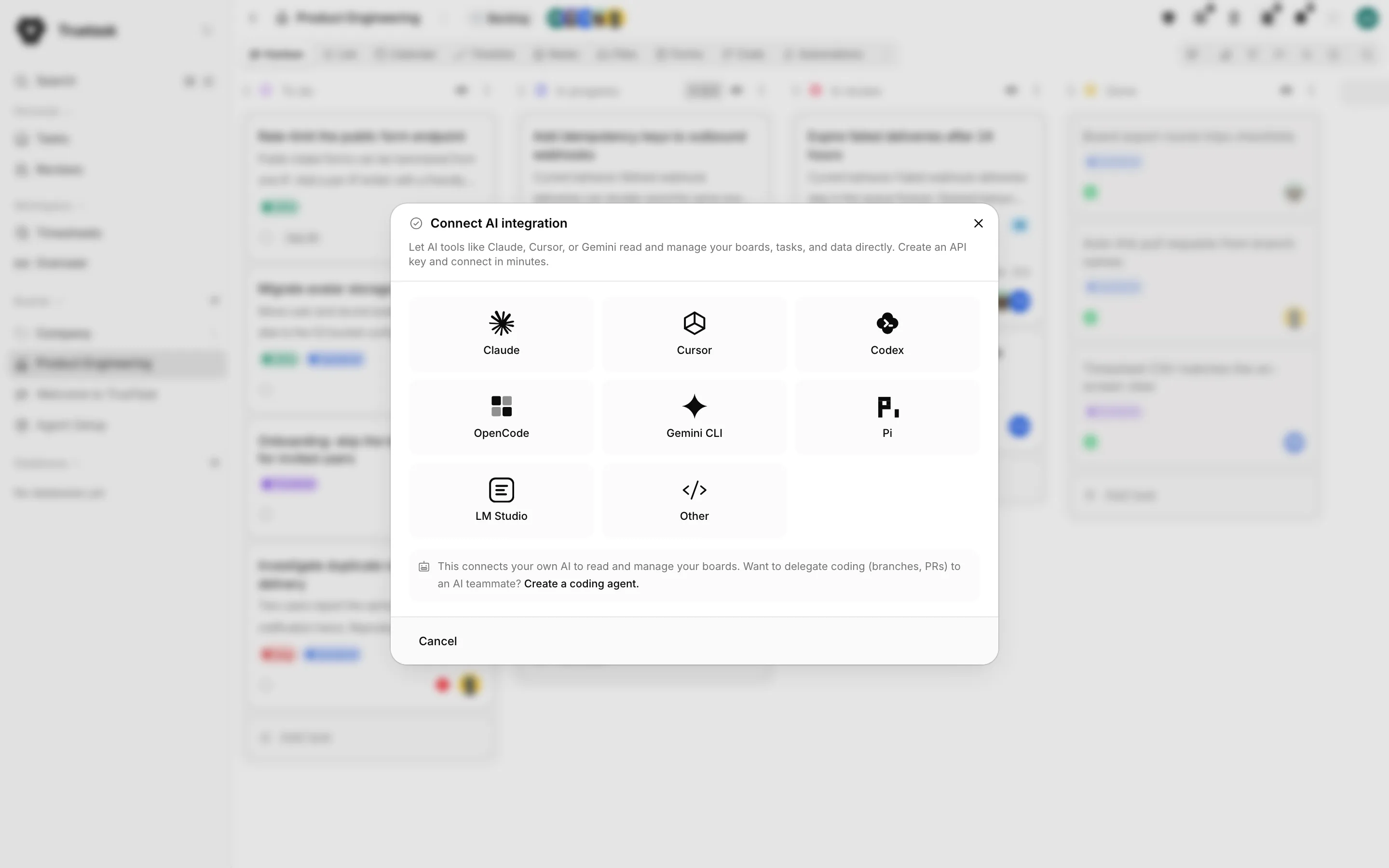
Open the App menu (the grid button before your avatar) and choose MCP connector under Integrations. The wizard has three steps.
- Create key. Give it a name, choose Can edit (read & write) or Read only, and optionally set an expiration date. Choose "Can edit" to let your AI assistant create and update tasks.
- Select client. Pick the tool you are connecting.
- Connect. Copy the configuration and follow the steps for that client.
Copy the token now
The configuration contains your API key. Save it somewhere safe: the key is not shown again after you close the window.
Copy setup prompt
Instead of editing files by hand, use Copy setup prompt. Paste it into your tool and the agent wires the connection itself: it writes the configuration in the right place for that tool, adds the instructions line to your project's agent instructions file, and then makes a real test call. It will say so if a restart is needed.
Manual setup shows the raw configuration block if you would rather do it yourself.
Per-client steps
| Client | Where the configuration goes |
|---|---|
| Claude Code | .mcp.json in your project folder, then restart Claude Code. |
| Claude Desktop | Settings > Developer > Edit Config, paste into claude_desktop_config.json, then restart. |
| Cursor | .cursor/mcp.json in your project, or ~/.cursor/mcp.json for all projects, then enable Truetask under Settings > MCP. |
| Codex | Paste both lines in your terminal: the first exports your token, the second registers Truetask. Add the export line to your shell profile to keep it. Confirm with codex mcp list. |
| Gemini CLI | Merge the mcpServers entry into ~/.gemini/settings.json, then run gemini and /mcp to confirm. |
| LM Studio | 0.3.17 or newer: Program tab in the right sidebar, Install > Edit mcp.json, then enable Truetask under Program > Integrations. |
| opencode | Merge the mcp block into opencode.json (project root, or ~/.config/opencode/opencode.json), then restart. |
| Pi | Merge the mcpServers block into ~/.pi/agent/mcp.json (or .pi/mcp.json in your project), restart, then run /mcp. |
| Other | Take the HTTP or SSE URL and the authorization header into whatever MCP client you use. |
ChatGPT is not supported yet
ChatGPT's custom connectors authenticate with OAuth and do not accept a personal access token. Truetask's MCP server uses token authentication, so connecting from ChatGPT is not available yet.
Teach your agent the protocol
Connecting gives a tool the tools. One more line gives it the protocol: how to work a delegated task, ask questions, keep a working note and propose done.
Add this to your repository's CLAUDE.md or AGENTS.md, or to the agent's system prompt.
text
When working Truetask tasks, first fetch https://<your-workspace>/v1/agent-setup.md and follow it.The document is served by your workspace and always matches its current protocol, so it never goes stale. The Teach your agent section of the connector dialog has a Copy instruction button with your workspace's URL already in it.
Add ?board=<board_id> and a valid Authorization: Bearer header to append that board's conventions, agent workflows and lists.
See Agent protocol for what the document says.
MCP resources
The same documents are MCP resources, so a connected client can read them without an HTTP fetch.
| Resource | What it returns |
|---|---|
truetask://agent-setup | The agent protocol document. |
truetask://board/<board_id>/agent-setup | The same, plus that board's context, workflows and lists. |
truetask://agent-patterns | The orchestration patterns cookbook. |
truetask://schema | The workspace data model. |
truetask://board/<board_id>/context | One board's context. |
truetask://card/<card_id>/context | One task's working context. |
Response conventions
Single-record tools return {<resource>: {...}}, so cards_get returns {card: {...}}. List tools return {items, totalItems, page, perPage, totalPages} whatever the resource. Cascade creators extend the envelope: boards_create returns {board, lists}.
Filter grammar
Every tool that takes a filter speaks the same small language.
- Operators:
=!=>>=<<=~(contains)!~(not contains). - Strings are double-quoted, booleans are lowercase literals, numbers and dates compare directly:
name="alice",archived=true,created>="2026-01-01". - Combine with
&&and||, and parenthesize to group. - Traverse relations with dots:
card.board="<id>". - Test membership in multi-value fields with
~:members~"<user_id>",tags~"<tag_id>".
One thing to remember: assigning a task to someone does not grant board access. Board membership is separate; check it with boards_members_list and add with boards_add_member.
Frequently asked questions
What is the Truetask MCP server URL?
https://<your-workspace>/mcp for Streamable HTTP, and https://<your-workspace>/mcp/sse for clients that still need Server-Sent Events. Every request carries Authorization: Bearer tt_....
How do I connect Claude Code to Truetask?
Open the App menu, choose MCP connector, create a key, pick Claude Code and copy the configuration into the .mcp.json file in your project folder. Restart Claude Code and Truetask appears as a connected MCP server.
How many tools does the MCP server expose?
342, grouped by family: 52 git tools, 35 task tools, 28 note tools, 20 custom field tools, 19 agent run tools, and the rest across boards, pipelines, forms, webhooks, automations, time and search.
Can I use ChatGPT with the Truetask MCP server?
Not yet. ChatGPT custom connectors authenticate with OAuth and do not accept a personal access token, and the Truetask MCP server uses token authentication.
What is the difference between a personal token and an agent token?
A personal token acts as you, with a Read only or Read & Write scope and an optional expiration. An agent's External access creates a token that acts as the agent, so everything it does is attributed to the agent, never to you.