

Appearance
Automations
An automation is a rule your board runs by itself. It starts with one trigger, then walks a canvas of nodes that read and write tasks, notes, fields, people and outside services. Everything runs on the server, so a run keeps going after you close the tab.
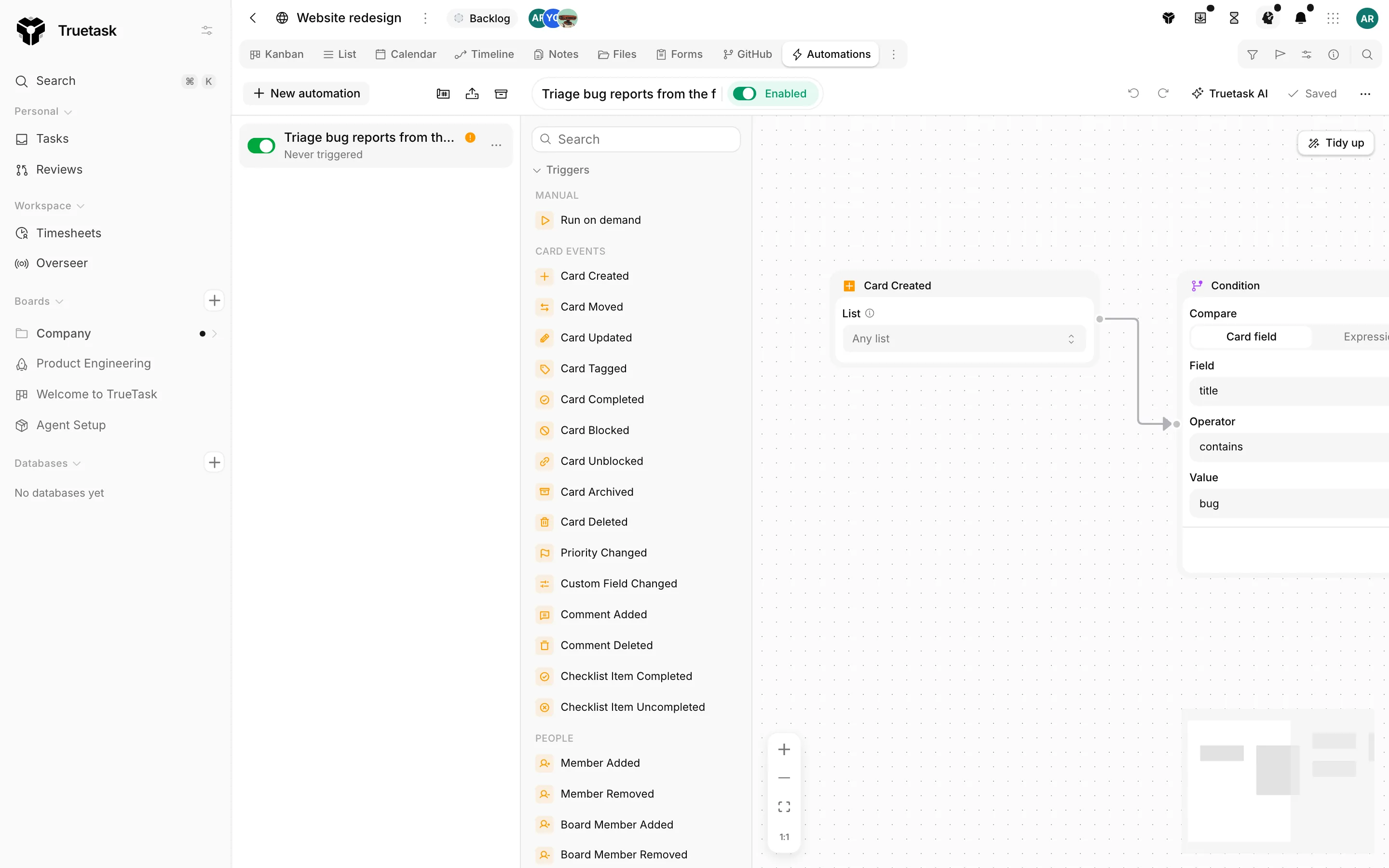
How a run happens
Every automation has exactly one trigger and one or more nodes wired after it. When something happens on the board, the trigger is written to a durable queue on the server. A worker picks the row up, walks the graph from the trigger, and records what it did. If the worker cannot finish, the row stays in the queue and is retried, so a restart never loses a run.
A Delay node parks the rest of the run and resumes it later from the same point. See Runs and logs for the full execution model.
Where automations live
| Surface | What it is | Who can open it |
|---|---|---|
| The board's Automations view | The list of this board's automations plus the builder canvas | Board admins |
| Settings > General > Automations | Every automation in the workspace, with bulk enable, disable, archive and delete | Workspace owners and admins |
| The Run button | Starts an on-demand automation on the board or on one task | Any board member |
| A task's right-click menu, Automations | The same on-demand runs, without opening the task | Any board member |
The Automations view is a board view like Kanban or List, so it sits in the tab strip. It only appears for board admins, and it can never be a board's default view.
Running one by hand
An automation that starts with Run on demand (or a Scheduled Trigger with its manual toggle on) gets a Run button. You choose where the button lives when you configure the trigger.
- The board puts a Run button in the board toolbar and starts one run with no task attached.
- A task puts a Run button on every task, and the run acts on the task you clicked.
Task-placed runs also show up in a task's right-click menu under Automations. See Triggers for the trigger's own options.
Databases
A database board is a flat table of records, so it has no lists, no flow, no notes view, no git and no agent lane. The palette hides every node that needs those, and the template gallery hides the templates built on them. What is left is the record, tag, people, field, webhook and HTTP side of the catalog. Actions and logic lists exactly which nodes a database drops.
Node names change wording on a database: Card Created reads Record Created, Assign Member reads Assign Owner, and so on. Read more about database boards in Databases.
Plans and limits
Truetask Cloud only
Truetask Cloud caps how many automations can be active at once. The rail shows the count against the cap, and the Settings list shows it too. Every node type is available on every plan; the fence is the active count, the run's wall clock, and the AI allowance. See Plans and billing.
Self-hosted only
There is no automation cap and no node gating on a self-hosted instance.
AI and agent nodes are the one exception on both deployments: they need AI to be available for the workspace. The Agent node also needs a model that can call tools. See AI nodes and AI settings.
Moving an automation between boards
| Action | Where | What you get |
|---|---|---|
| Export | The kebab on a row in the rail | A portable JSON file with the automation's name and graph |
| Import | The upload button in the rail header | A Review Import step, then the automation installed and paused |
| Clone to Board | The kebab on a row in the rail | A copy on another board, paused |
| Duplicate | The kebab on a row in the rail | A copy on this board |
An import never comes in switched on. The Review Import step names anything the automation does that reaches outside Truetask (HTTP requests, email, text messages), anything destructive (deleting tasks or notes), and any list, tag, member, priority, custom field or board it references that this board does not have. You map each missing reference to something on this board, create it, or clear it.
Frequently asked questions
What can trigger an automation?
Task events, people joining or leaving, board changes, agent handoffs and run outcomes, note events, time (due dates, schedules, milestones, timers), incoming webhooks and messages, and fourteen git events. See Triggers.
Do automations run when nobody is online?
Yes. Every run executes on the server from a durable queue, so it keeps going after you close the tab and is retried after a restart.
Can an automation use AI?
Yes. The Agent node runs Truetask AI or one of the board's agents with a prompt and a budget, and the Quick AI actions cover Smart Hydrate, Generate, Suggest Tags, Improve Title and Summarize. See AI nodes.
Who can build and run automations?
Board admins see the Automations view and build there. Workspace owners and admins manage every automation under Settings > General > Automations. Any board member can run an on-demand automation from the Run button or a task's right-click menu.
Can I move an automation to another board or workspace?
Yes. Automations export and import as JSON, and the templates gallery installs ready-made ones while matching their tags and lists to your board.