

Appearance
Inbox
The inbox is where work goes before you have decided where it belongs. Everyone has one. Nobody else can see it.
It is a real board underneath, so an inbox task has a description, a due date, files and an activity trail from the moment you capture it. Nothing ever moves into an inbox: things only leave it, for a board.
Opening it
| Way | |
|---|---|
| The keyboard | I |
| The top bar | The tray button, just after search |
| The App menu | Interface > Inbox |
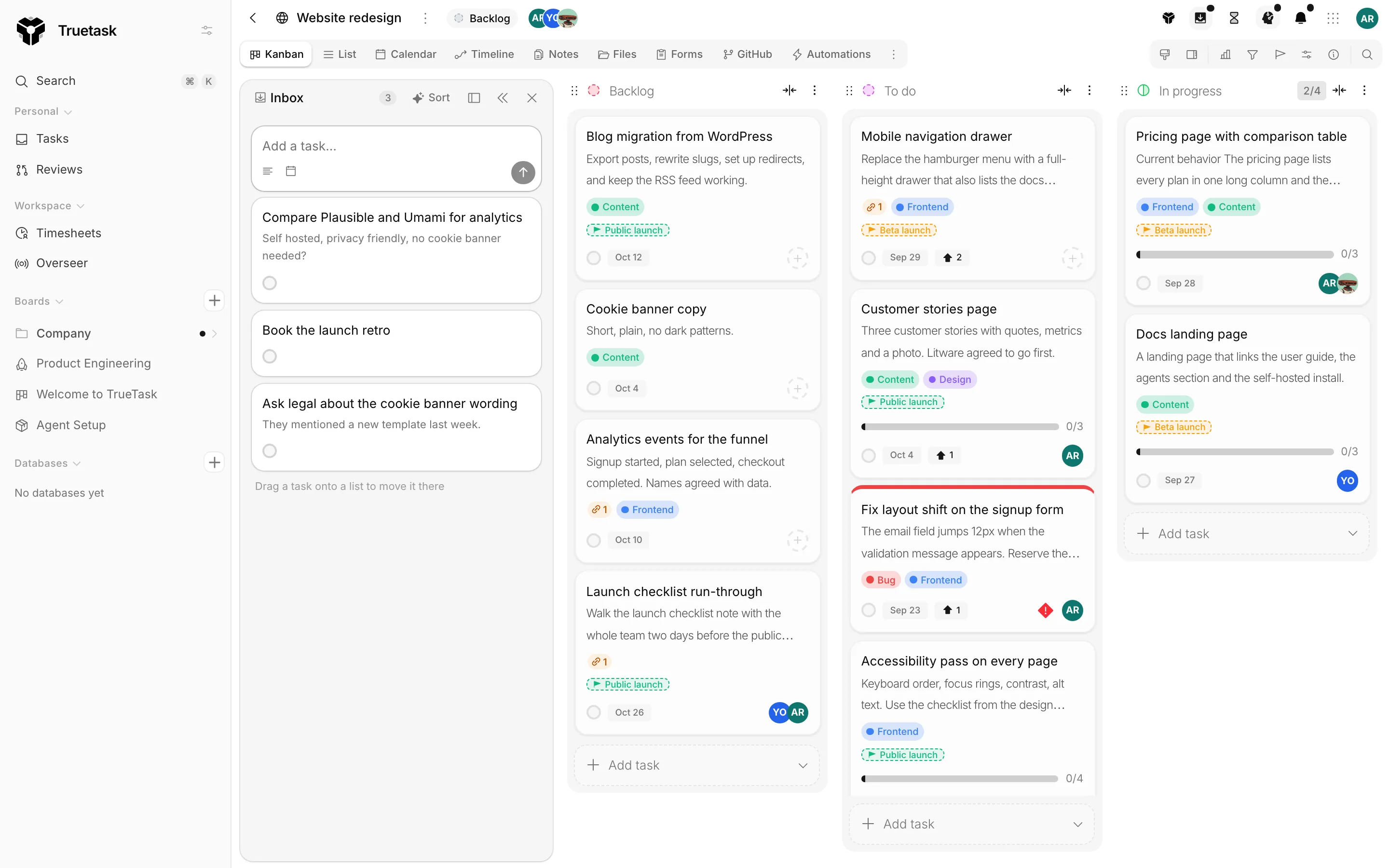
The inbox docks beside whatever page you are on, left or right (the placement control in its header, remembered per device). Collapse it and it becomes a narrow edge tab with the glyph and your open count, so it is one click away without taking space. Esc twice closes it.
Capturing
The composer sits at the top: type a title, press Enter.
Add details opens a second line for a description, and the calendar sets a due date. Paste or drop into the composer and Truetask reads what you gave it:
- A URL becomes a link chip.
- An image or a file becomes a file chip and is attached to the task.
- Multi-line text opens the details instead of making a very tall title.
The desktop app's palette captures into the same inbox from anywhere on your machine, without switching to the browser. Agents, automations and the API can capture too.
Working the list
Each row carries the title and, when it has them, a cover, its link chips and an attachment count.
| Control | What it does |
|---|---|
| The tick | Marks the task done. |
| The calendar | Sets or clears a due date. |
| The dots | Open, Rename, Details, Set due date, Move to board, Delete. |
Open gives the task its own small frame rather than the board task frame: title, details, due date and files, plus Move to board. It is the same shape as the row, with room to work.
Delete asks first, and it is final: the task leaves your inbox for good.
Getting things onto a board
Three ways out.
Move to board picks a destination board and list.
Drag it. With the inbox docked on a board's Kanban view, drag a row onto a column and it becomes a task there. A drop into an in-progress column with no room obeys the board's WIP limit like any other move. See Board flow.
Sort. The Sort button asks Truetask AI to propose a board and a list for every open row. Proposals appear on the rows themselves, each with Accept, Change and Skip, plus Accept all and Skip all at the top. Nothing moves until you accept. If no board fits, it says so rather than guessing. See Truetask AI.
Leaving the inbox is a cross-board move, so the task drops the fields that belonged to the inbox board and picks up the destination's.
Done
Completed rows fold into a Done disclosure below the open ones. Clear archives all of them at once, with an Undo on the toast.
Done rows stay visible for 14 days; after that a daily sweep archives them, so the disclosure never turns into a graveyard.
The inbox and the Tasks page
Inbox tasks are kept out of the Tasks page by default, because an inbox full of half-formed ideas would drown the work you have actually committed to. Turn on Show inbox tasks in the Tasks page toolbar when you want them counted.