

Appearance
Keyboard shortcuts
Truetask has a small set of global bindings you can remap, plus a handful of keys that belong to one surface and are fixed. This page is about changing them. For the full list of every key in the product, see Keyboard shortcuts reference.
Remapping
Open the App menu (the grid button before your avatar) and choose Customize, then the Shortcuts tab. Your avatar menu has a Shortcuts row that lands on the same place.
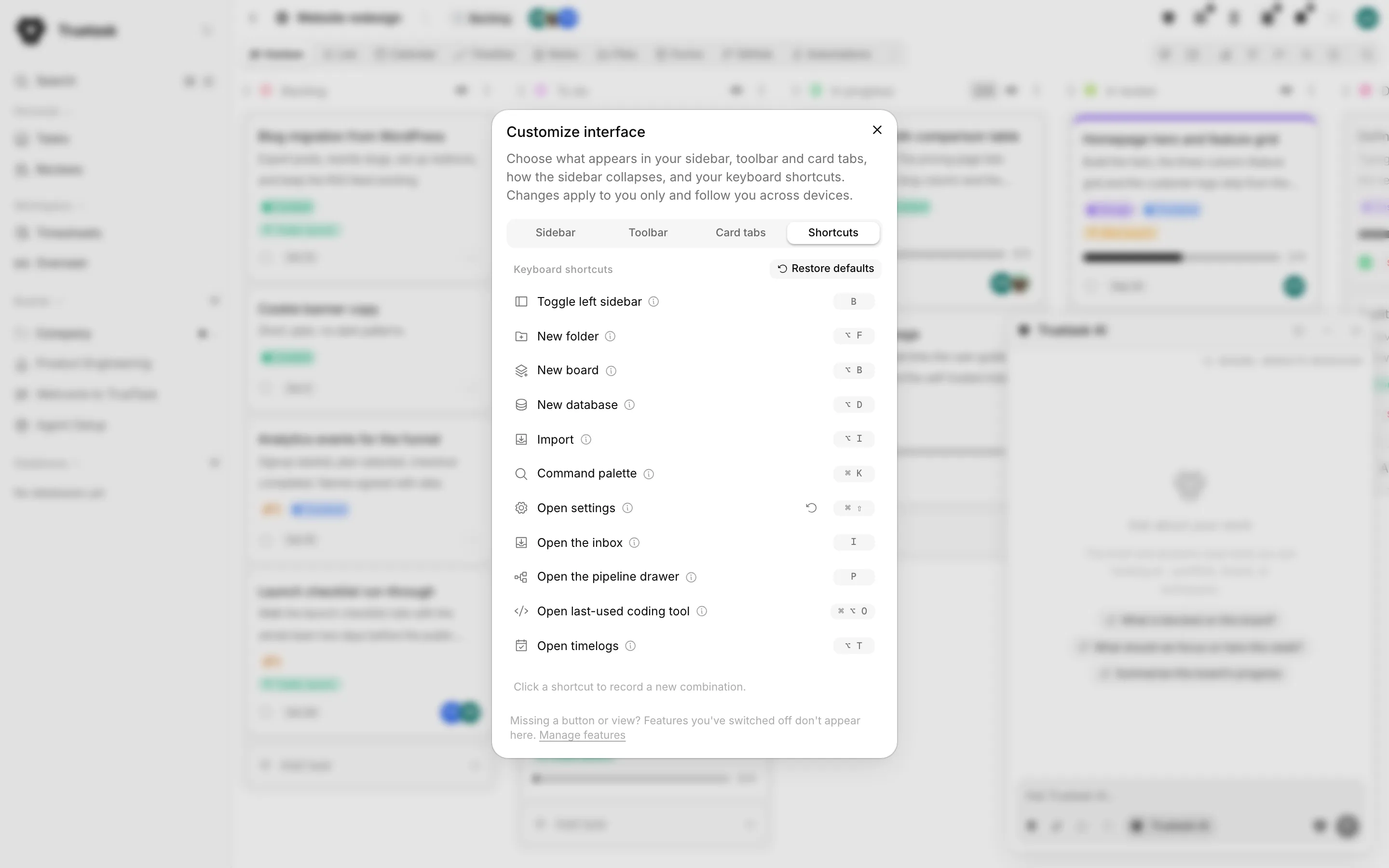
Each row is one binding: an icon, its name, an information glyph whose tooltip explains what the shortcut does, and a pill showing the current combination.
- Click the pill. It turns into Press a key...
- Press the combination you want, modifiers included.
- It saves at once. There is no Save button.
Press Esc on its own while recording to cancel without changing anything.
A changed row grows a small restore button beside its pill, with the tooltip Restore default. Restore defaults at the top of the pane puts every row back at once.
The defaults
| Shortcut | Default | What it does |
|---|---|---|
| Toggle left sidebar | B | Shows or hides the sidebar with your boards, folders and pages. |
| New folder | Alt+F | Starts a new folder in the sidebar. |
| New board | Alt+B | Starts a new board, opening the sidebar if it is hidden. |
| New database | Alt+D | Starts a new database. |
| Import | Alt+I | Opens Import. |
| Command palette | Cmd/Ctrl+K | Opens the command palette. |
| Open settings | Cmd/Ctrl+Shift+, | Opens the workspace settings. |
| Open the inbox | I | Opens the inbox dock beside the page you are on, with the composer focused. Press again to close. |
| Open the pipeline drawer | P | Opens the pipeline drawer along the bottom. Press again to close. |
| Open last-used coding tool | Cmd/Ctrl+Alt+O | Opens the task in front of you in the coding tool you used last. |
| Open timelogs | Alt+T | Opens the timelogs week. |
A row you have no access to is not listed, so you cannot bind it by accident. Open settings only appears for roles that can see settings, Open timelogs needs the plan to include time tracking, and Open the pipeline drawer needs the workspace AI switch on.
One more global binding is not in the pane and is not remappable: on a board, Q toggles the My tasks filter.
How keys are matched
Bare letters never fire while you type. When the focus is in a text field, a textarea, a select or a rich-text editor, only combinations that include a modifier still work, plus Esc. That is why the letter defaults (B, I, P, Q) are safe.
Command means Command on a Mac and Ctrl everywhere else. A binding stored as command+k matches Cmd on macOS and Ctrl on Windows and Linux, and the pill draws itself accordingly: macOS shows the glyphs, other platforms spell out Ctrl, Alt and Shift. If you want Ctrl specifically on a Mac, record it with the Ctrl key; Truetask stores that separately.
Modifiers must match exactly. A binding of Alt+F does not fire when you also hold Shift.
Letters are read by physical key. On a Mac, holding Alt normally produces characters like ƒ. Truetask reads the key position instead, so Alt+F works as written.
Keys that belong to one surface
These are not in the Shortcuts pane and cannot be remapped.
| Key | Where | What it does |
|---|---|---|
| / | Any board view | Opens the board's quick search and focuses it. Press again while it is open to return focus to the field. |
| J / K | Code review drawer | Moves to the next or previous file in the diff. |
| V | Code review drawer | Marks the selected file viewed, or unmarks it. |
| Esc | Code review drawer | Closes the drawer. An open popover takes it first. |
| Shift+click | List view | Selects the range between the last selected row and this one. |
| Cmd/Ctrl+click | List view | Adds or removes this row from the selection. |
| Enter | Inline composers | Submits. Shift+Enter adds a line instead. |
| Esc | Inline composers and popovers | Cancels without saving. |
Modifier clicks in List view select rows, they never open the task. Only a click on the title cell opens it. See Bulk actions for what you can do with a selection.