

Appearance
Board flow and WIP limits
Board flow is what makes a list more than a name. Sorting lists into lanes is what tells Truetask which work counts as in progress, which is finished, and which was dropped, and it is what lets agents and automations target a stage without knowing a board's column names.
Open the page menu and choose Board setup > Board flow. Board admins only.
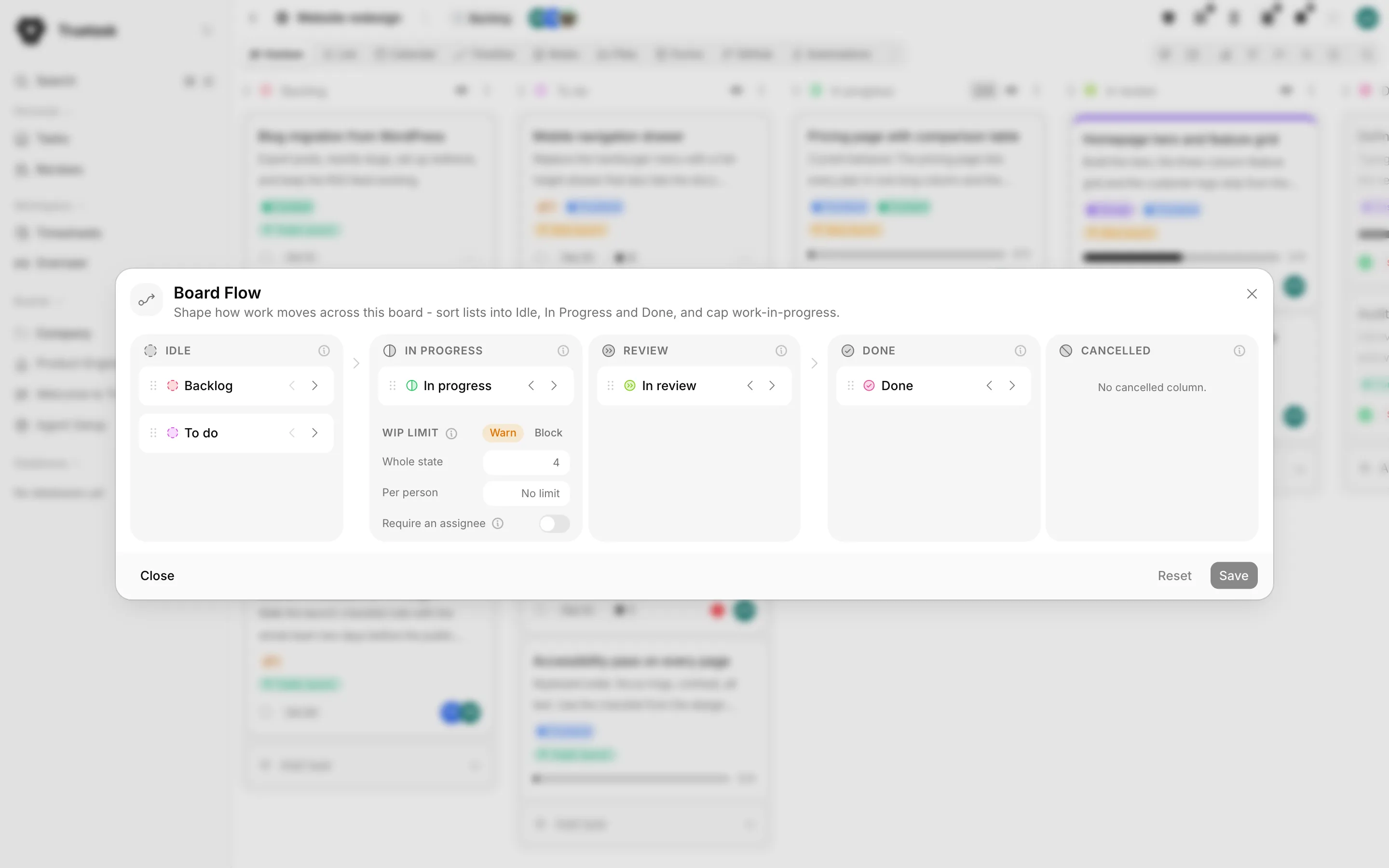
The five lanes
| Lane | What it means |
|---|---|
| Idle | Not-started work: backlog, triage, ideas waiting to begin. Nothing here counts toward your WIP limit, so it is the home for your backlog and to-do columns. |
| In Progress | Work actively underway. This is the one phase you cap with a WIP limit. Every board needs at least one, and the limit is checked as a task enters. |
| Review | A dedicated stop inside In Progress for work awaiting review. Tasks here are still active work, nothing gets completed or cancelled, but the lane sits outside the WIP limit. Optional. |
| Done | The finish line. A task moved into a Done list is marked complete and leaves work in progress. Every board needs at least one Done list. |
| Cancelled | A second finish line for work you will not do: declined, duplicate, or obsolete. Tasks here are set aside without counting as completed, stay out of your stats and WIP limit, and release anything blocked on them. Optional. |
Drag a list's grip between lanes, or use the chevrons on its tile.
Saving changes
Edits are staged: nothing happens until you press Save. The dialog says Unsaved changes - press Save to apply, or Reset to discard.
Before it writes, Truetask shows exactly what the change does to your tasks, with counts: how many will be completed, how many cancelled, and how many reopened. Reverting those flags afterwards means touching each task by hand, so read the counts.
Two sanity checks block a save: a board must keep at least one In Progress list and at least one Done list.
The In Progress floor
If a board somehow ends up with no In Progress list, admins get a dialog they cannot dismiss on opening it: Set your In Progress list. Pick an existing list or name a new one to continue.
WIP limits
Work in progress limits are a cap on how many tasks can be actively in progress at once, counted across every In Progress column on the board.
The cap is a property of the phase, not of a column, so it sits on the In Progress lane and has one shared configuration.
| Setting | What it caps |
|---|---|
| Whole state | The most the whole In Progress phase may hold. |
| Per person | The most any one person may have in progress. |
| Warn | Shows an amber count badge at the limit but never blocks. |
| Block | Stops a task from entering In Progress once it is full. |
Leave a number empty for no limit.
The limit is checked only when a task enters the phase. Moving a task between two In Progress columns is always free. Completed, cancelled, archived and draft tasks do not count, and unassigned tasks are never capped per person.
On the board itself the column header shows a count/limit badge that turns amber at the limit and red over it, plus a second badge with your own count against the per-person limit.
Why limit WIP
Limiting WIP is the heart of Kanban: it makes bottlenecks visible and, by Little's Law (cycle time = WIP divided by throughput), shortens delivery. Stop starting, start finishing.
Agents bypass WIP limits, so handing work to an agent never gets stuck behind a human cap.
Require an assignee
A task entering In Progress with nobody on it gets an owner either way.
With Require an assignee off, the person who moved it is assigned automatically. With it on, dropping an unassigned task into In Progress asks who should own it instead: the owner gate opens with the mover pre-selected and every board member listed with their own n/limit count. On a Block board, a member already at their cap cannot be picked, because the move would be refused anyway.
The automatic assignment is server-side and human-only. A move made by the API, by an automation or by a scheduled job has no mover, so it assigns nobody.
How agents and automations use lanes
Nothing in Truetask targets a list by its name if it can help it.
Automations that move or create a task take a flow state instead, and Truetask resolves it to the first list on that board in that state. That is what makes an automation portable: install the same rule on a board whose columns are called Doing and Shipped and it still works.
Agent workflows do the same. A workflow step that starts work moves the task into In Progress by state, and agent pickup keys off the in_progress category, which is exactly why Review is a separate lane: work sitting in review is still active, but it is deliberately outside everything tied to In Progress.
See Actions and logic and Agent workflows.
Related
- Kanban for the badges and the owner gate in use
- Board stats for the charts the lanes feed
- Automations for rules that move work between lanes
- Agent workflows for how an agent picks work up